Snapchat's export strips the date, place and caption off every photo and video. Unsnap puts them back — on your own computer, before Snapchat starts deleting the originals.
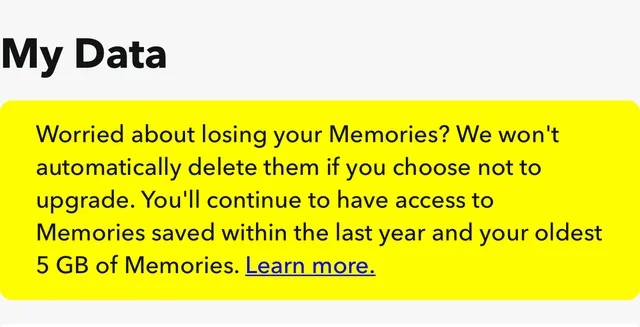
Snapchat now caps free Memories storage at 5 GB and put everything over the limit behind a paywall. Accounts that don't pay are expected to lose the originals when the roughly 12-month grace period ends — our best estimate is early September 2026.
The grace period we estimated has passed. If you can still open your Memories, fix them now — before they're gone for good.
Snapchat hasn't published a firm date. This countdown is an estimate based on their September 2025 storage announcement — treat it as a nudge, not a deadline. The fix takes a few minutes; don't wait for the buzzer.
No account, no upload. You do the export request on your phone; the app does the rest on a computer.
Request your data from Snapchat (Settings → My Data). They email you a link to download the mydata~….zip parts.
Download Unsnap and drag in the zip parts — no unzipping, no picking through folders.
It rewrites the real date, GPS and caption onto every photo and video, then hands you a clean, sorted folder. Nothing is uploaded.
Your photos never leave your device. No upload, no account, no server.
It writes a plain report of exactly what it changed, so you can check its work.
It never invents a date or place it can't verify. Anything uncertain is flagged, not faked.
Free. Windows and macOS.
No. Everything runs on your own computer — your photos and location are never uploaded, and there's no account to make.
This doesn't touch your Snapchat account or its storage. It fixes the copy you already exported, so you keep a correct, permanent copy on your own drive whether or not you pay Snapchat.
Not yet — it's a desktop app for Windows and macOS, because it reads multi-gigabyte exports and rewrites files. Request your export on your phone, then run the app on a computer.
Snapchat hasn't announced a firm date. The countdown above is our estimate from their September 2025 storage change — don't count on a specific day, and don't wait until the last minute.
No. It works on a copy and writes a report of every change it makes, so your original export is left untouched.